Introduction

This is where the article content will be displayed. The rich text field from the CMS collection will be bound here to show the full article body with formatted text, images, and other rich content.
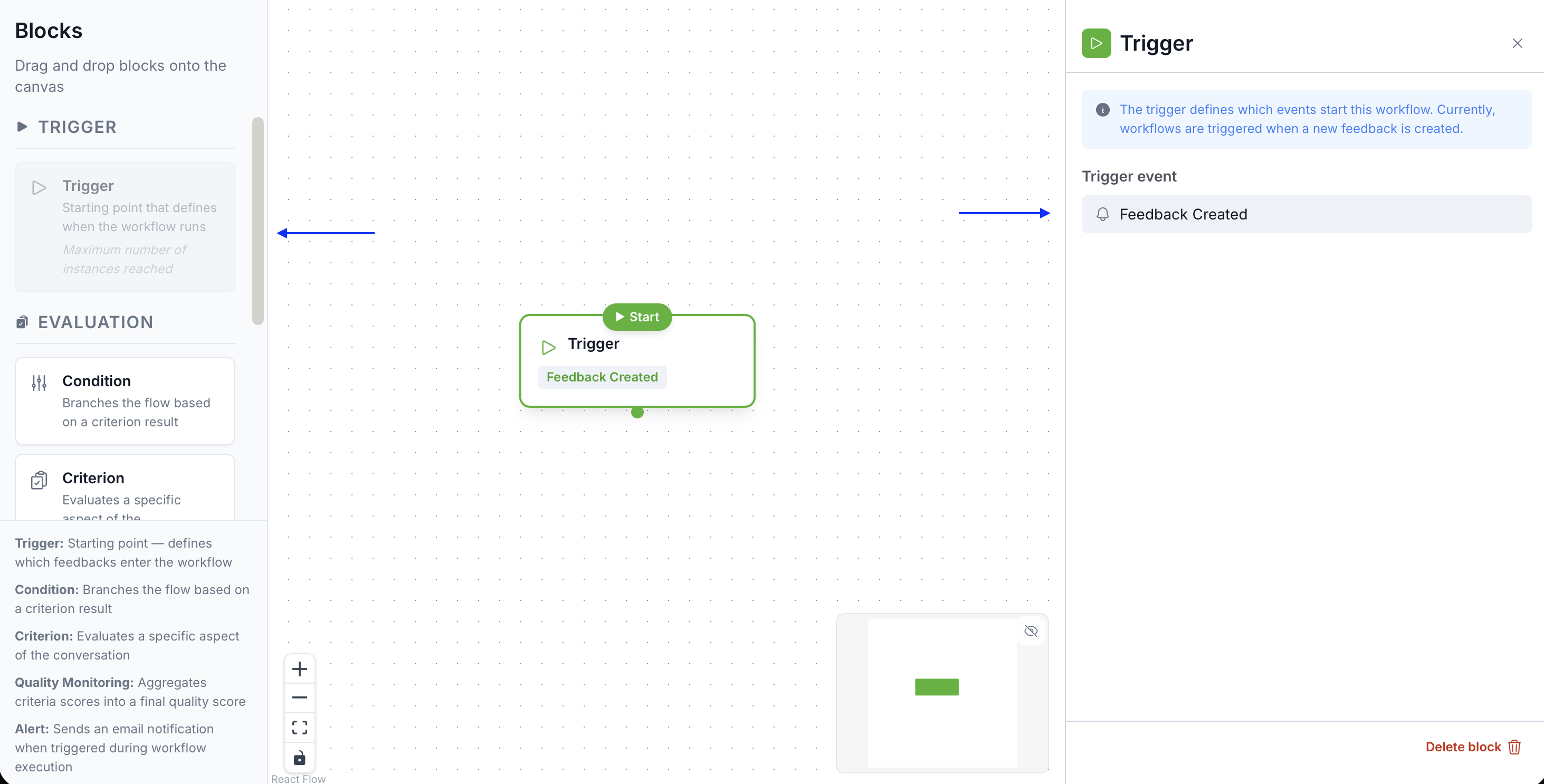
Role

The Trigger defines the scope of the analysis: which conversations or feedback items will feed into the flow, and on what basis. Everything that passes through the flow starts here.

Configuration

Agents and teams

Select the agents or teams you want to cover. You can target your entire workspace, a specific team, or individual agents.

Data filters

Narrow the data entering the flow by applying filters on:

  • Channel: call, email, chat, ticket…
  • Language: filter conversations in a specific language
  • Period: creation date, rolling window…
  • Conversation type: based on your sources and configured properties
  • Custom properties: any property mapped to your feedback (region, order type, store code…)

Best practices

  • A scope that's too broad generates noise and slows the flow
  • A scope that's too narrow may miss important signals
  • Test your Trigger on a few representative examples before activating the flow

Documentation /
Components
Category

The Trigger

The Trigger is the entry point of every Grid Studio flow. It is mandatory and unique — each flow can only contain one Trigger.

Book your personalized demo

See how Gravite transforms your quality management in real time.

Request a demo
Live walkthrough of the platform
Tailored to your use cases
No commitment