
This is where the article content will be displayed. The rich text field from the CMS collection will be bound here to show the full article body with formatted text, images, and other rich content.
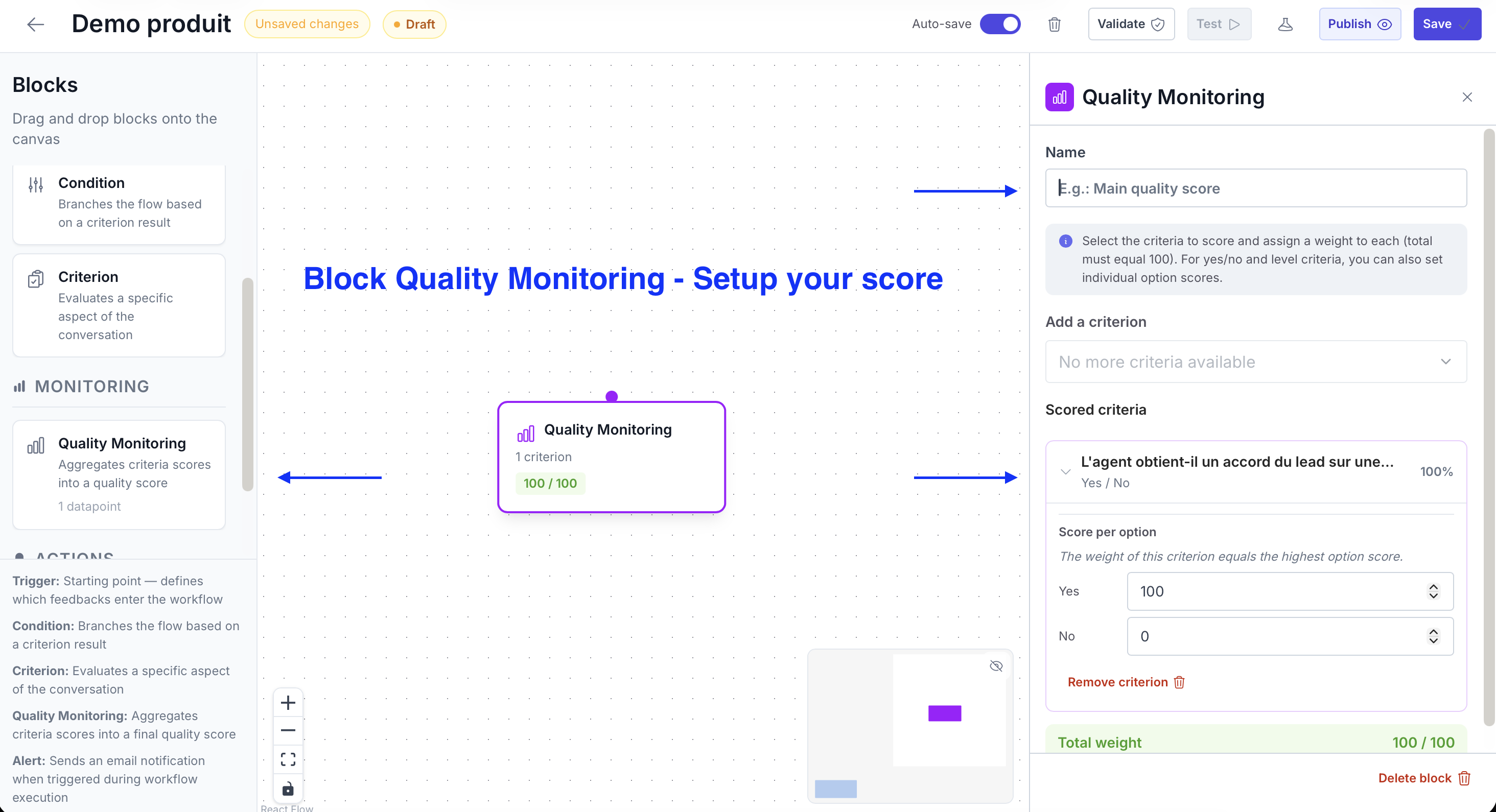
It synthesizes all of the flow's evaluations into one indicator, making it easier to track performance over time and compare across agents, teams, or periods.
Choose which Criteria from the flow you want to include in the composite score calculation. You don't have to include all the flow's Criteria — you can exclude some if you don't want them to factor into the final score.
Assign a weight to each included Criterion. The total must equal 100. The block displays in real time whether the weighting is valid (green) or incomplete (red).
For Criteria using a performance level scoring system, you can assign a custom numeric score to each option.
Example: Insufficient = 0 · Acceptable = 5 · Good = 8 · Excellent = 10
The calculated composite score is visible:
{{variable}} syntax)
The Quality Monitoring block aggregates scores from multiple Criteria into a single weighted quality score.
See how Gravite transforms your quality management in real time.

