Introduction

This is where the article content will be displayed. The rich text field from the CMS collection will be bound here to show the full article body with formatted text, images, and other rich content.
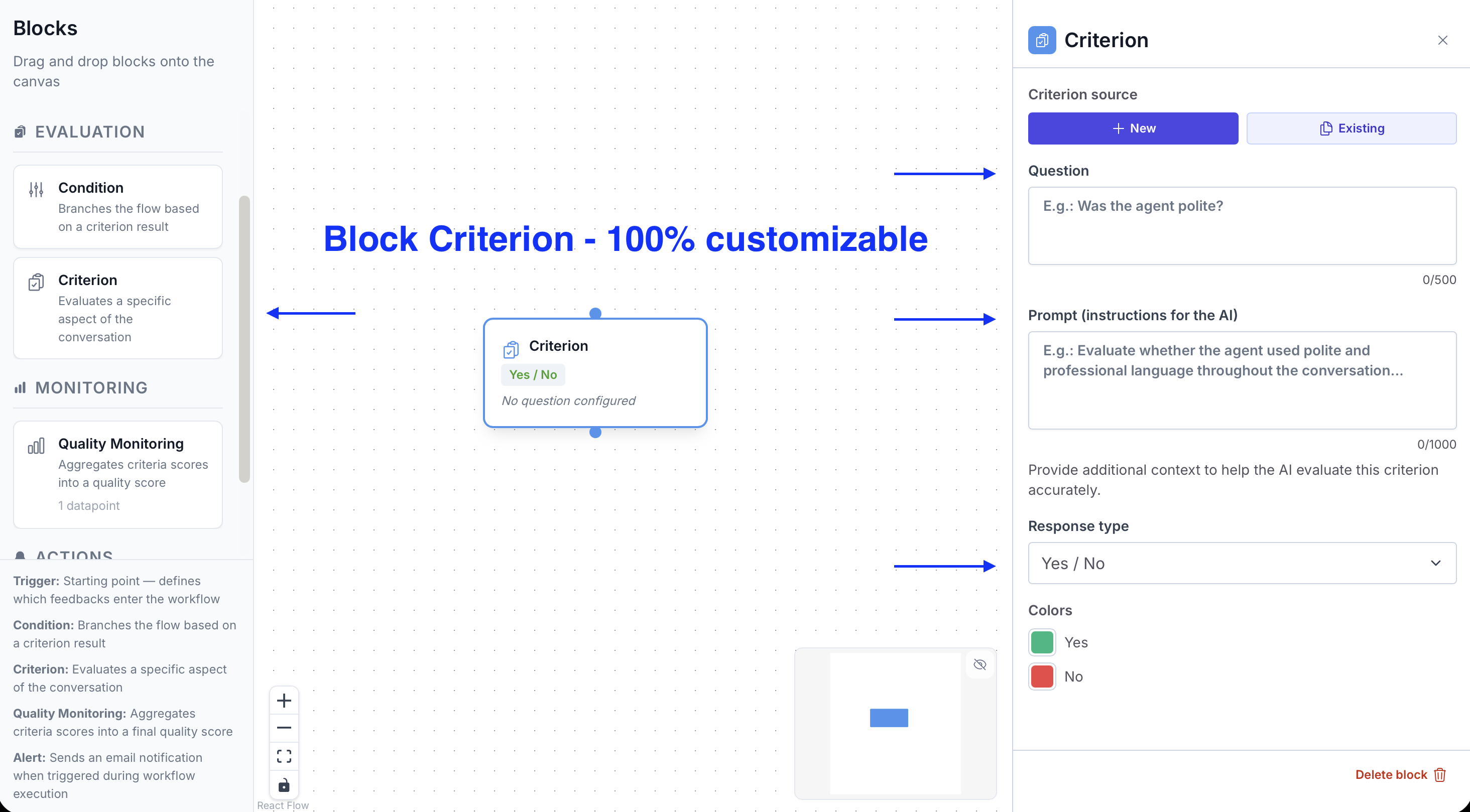
Role

A Criterion evaluates a specific dimension of the conversation: agent response quality, issue detection, procedure compliance, customer satisfaction… You can add as many as needed in a single flow.

Configuration

Title

Give a clear name that reflects what the Criterion evaluates. This name is visible in the dashboard results and in Alert variables.

Instruction prompt

Write the question or instruction you're submitting to the AI. The more precise the prompt, the more reliable the response.

Examples:

  • "Did the agent offer a solution to the customer's complaint?"
  • "Does the customer mention an overdue delivery deadline?"
  • "Did the agent follow the opening script?"

Scoring system

Choose how the AI scores the conversation:

  • Yes / No: binary answer, ideal for simple checks (procedure followed or not)
  • Numeric scale (1–10): continuous score, useful for graded assessments (response quality, satisfaction level)
  • Performance level: customizable levels (e.g. Insufficient / Acceptable / Good / Excellent), which you can assign a numeric score to in the Quality Monitoring block

Best practices

  • One Criterion = one precise evaluation. Avoid prompts that ask multiple questions at once.
  • Test each Criterion individually before assembling the full flow.
  • Prefer active, verifiable phrasing: "Did the agent…" rather than "The quality of…".

Documentation /
Components
Category

Criteria

Criteria are the evaluation blocks of the flow. Each Criterion asks the AI a question about the content of a conversation and generates a score.

Book your personalized demo

See how Gravite transforms your quality management in real time.

Request a demo
Live walkthrough of the platform
Tailored to your use cases
No commitment