
This is where the article content will be displayed. The rich text field from the CMS collection will be bound here to show the full article body with formatted text, images, and other rich content.
Le Trigger est le point de départ de tout flow. Il est obligatoire et unique — chaque flow ne peut contenir qu'un seul Trigger.
C'est lui qui définit le périmètre de l'analyse : quels agents ou équipes sont couverts, et quels éléments de données alimentent le flow. Depuis le Trigger, vous pouvez sélectionner des agents ou des équipes spécifiques, et appliquer des filtres sur vos données (canal, période, langue, type de conversation…).
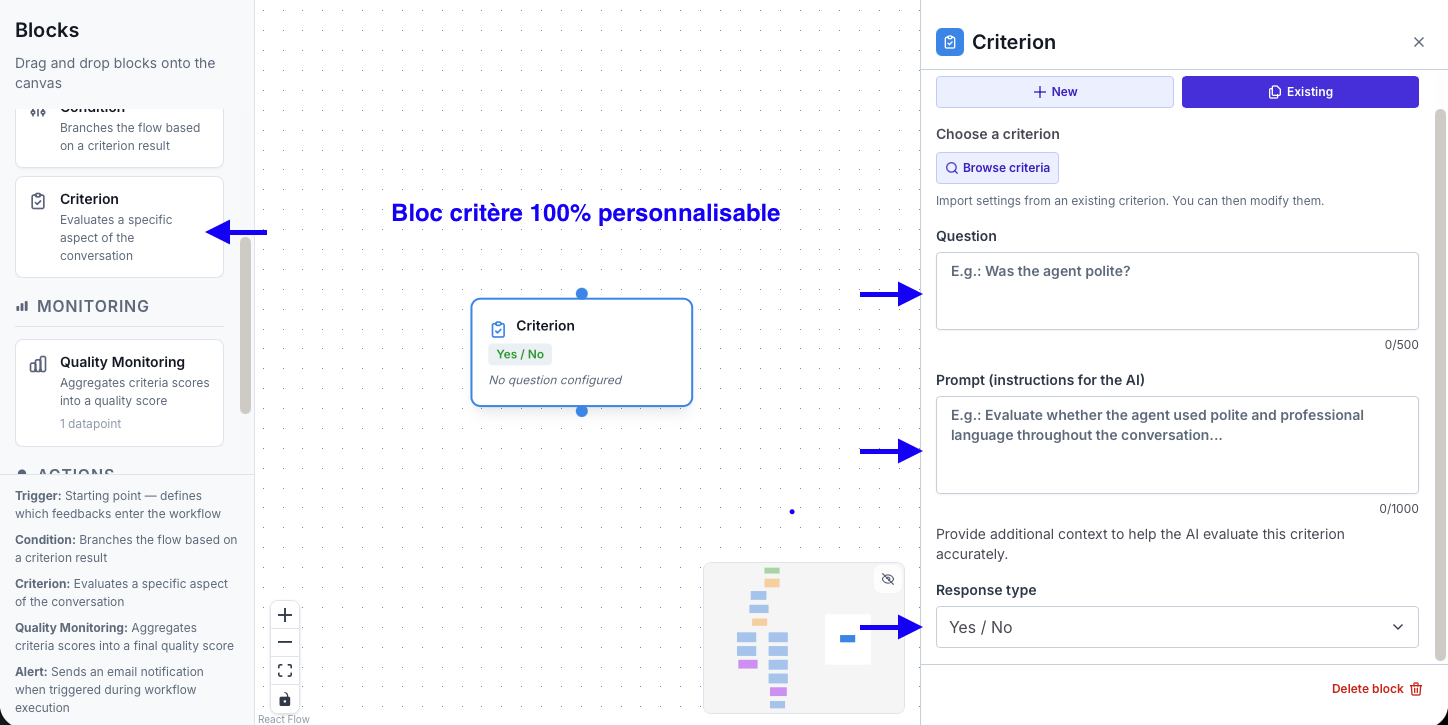
Les Criteria sont les blocs d'évaluation du flow. Chaque Criterion pose une question à l'IA sur le contenu d'une conversation et génère un score.
Ils fonctionnent de la même manière que dans le module Quality Monitoring : vous définissez un titre, un prompt d'instruction pour l'IA, et un système de scoring (Oui/Non, échelle numérique, ou niveau de performance). Vous pouvez en ajouter autant que nécessaire dans votre flow.
Les Conditions permettent de filtrer le flux d'analyse en cours de route. Elles fonctionnent selon deux modes :
et/ou.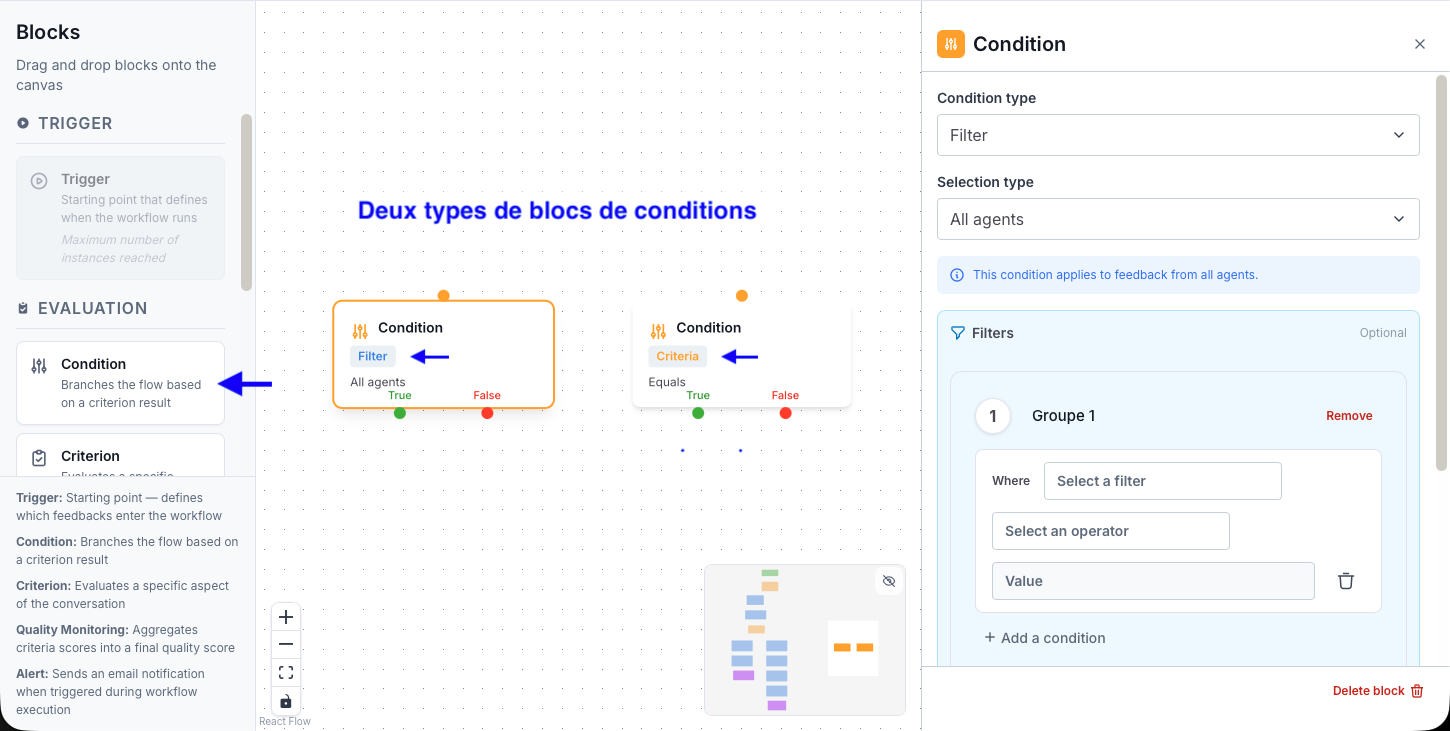
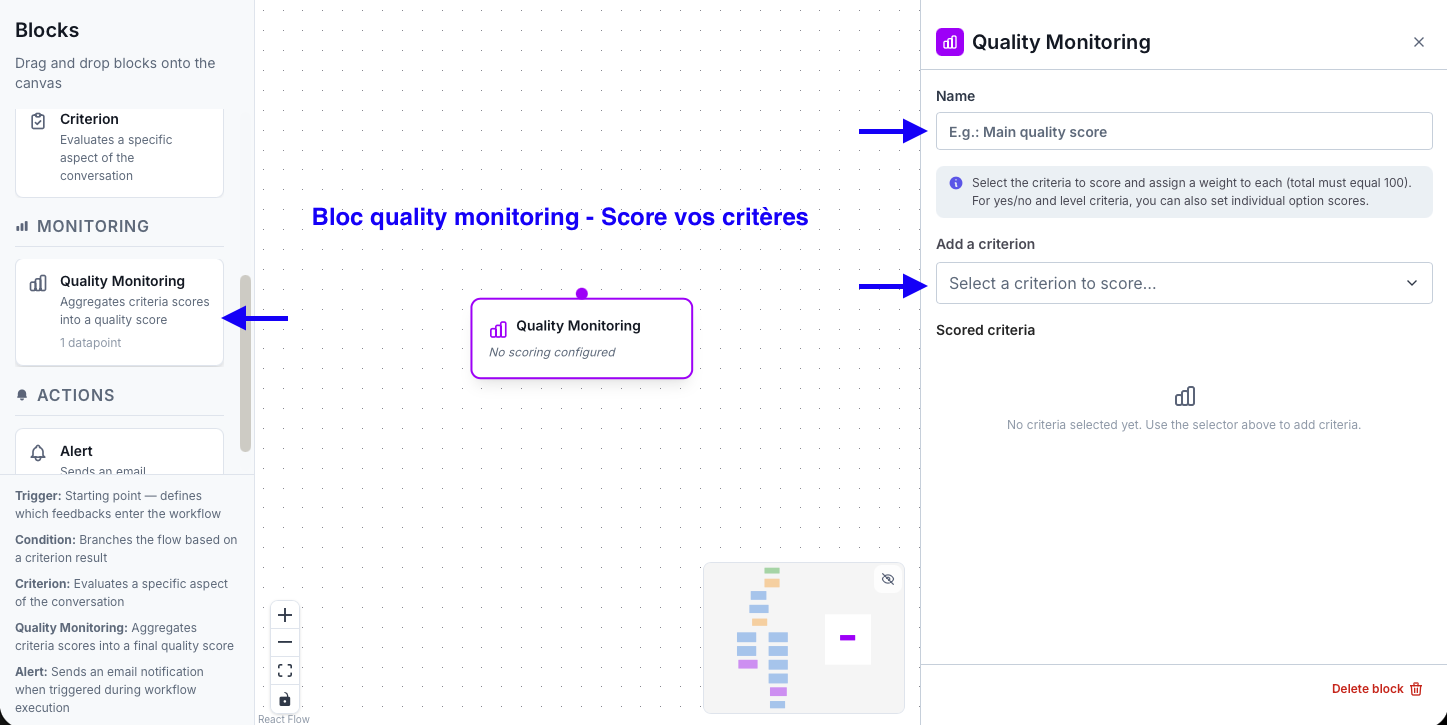
Le bloc Quality Monitoring agrège les scores de plusieurs Criteria en un score qualité global pondéré. Pour chaque Criterion inclus, vous définissez un poids (le total doit être égal à 100). Pour les critères de type niveau, vous pouvez attribuer un score personnalisé à chaque option.
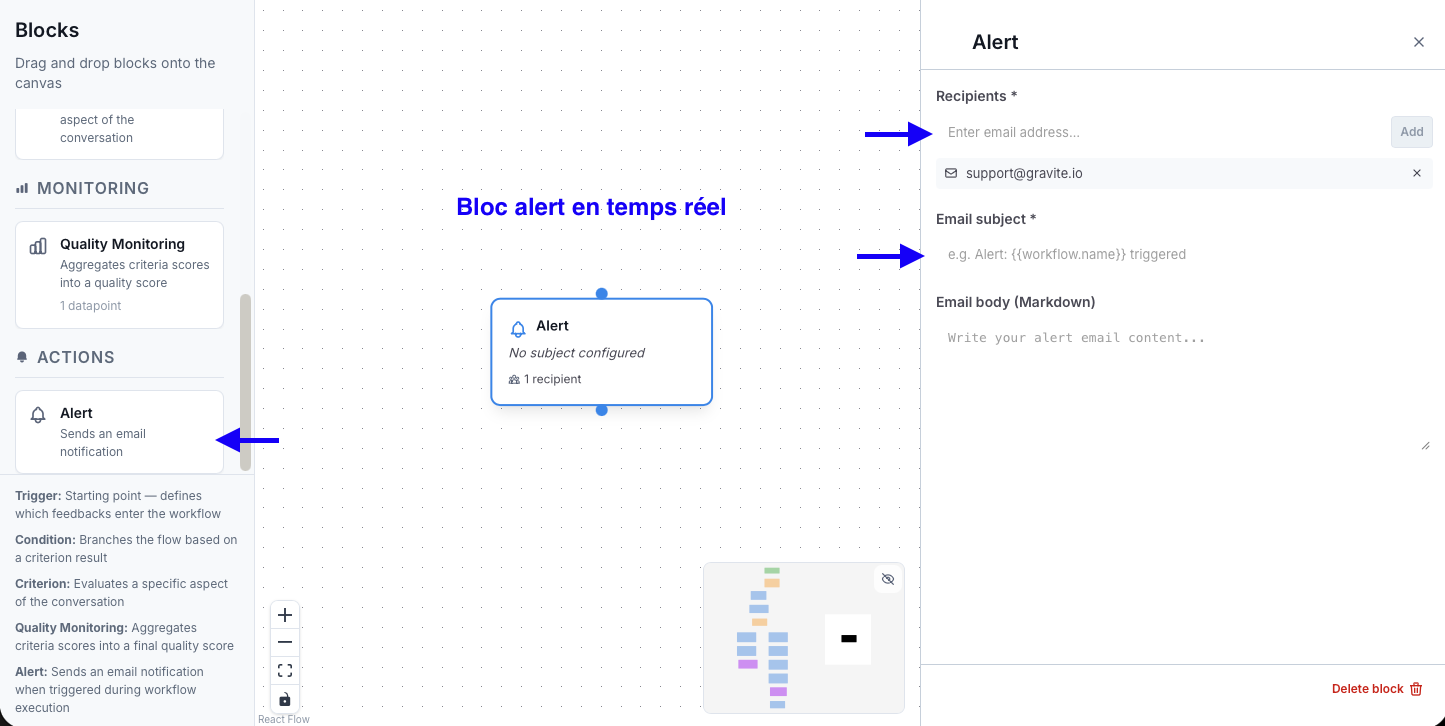
Le bloc Alerte envoie un e-mail de notification lorsqu'il est atteint dans le flow. Configurez les destinataires, l'objet et le corps du message en Markdown. Vous pouvez insérer dynamiquement les valeurs des Criteria en amont via la syntaxe {{variable}} — une autocomplétion vous guide lors de la saisie.
Un flow Grid Studio est construit à partir de trois types de composants : le Trigger, les Criteria et les Conditions. Chaque composant joue un rôle précis dans la logique d'analyse.
Découvrez comment Gravite transforme votre quality management en temps réel.

